WooCommerce development

WooCommercedevelopment

Custom WooCommerce stores on WordPress — designed to convert, built to stay fast and secure, and easy for your team to manage from one dashboard.

WordPress case studies
8
Client brands
43
Team specialists
38

Quick answer

What is WooCommerce development?

WooCommerce development is building and extending online stores on WooCommerce, the ecommerce plugin for WordPress. It covers store design and theming, custom product, cart and checkout features, payment and shipping integrations, and the performance and security work that keeps a self-hosted store fast and safe — with full control of your code and data.

  • Block-based themes and custom checkout
  • Payments, shipping and tax integrations
  • High-Performance Order Storage and caching

What we build

WooCommerce development services

From a new store to custom plugins, one team handles the design, the code and the hosting setup.

Get a fixed quote
  • Custom WooCommerce stores

    A store designed around your brand and products, built on a fast block theme your team can edit.

    • Custom design
    • Block theme
    • Mobile-first
    Website design
  • Custom WooCommerce plugins

    Features no plugin offers, written cleanly as your own plugin so updates never overwrite them.

    • Custom plugins
    • Hooks
    • REST API
  • Checkout and cart customisation

    Custom checkout fields, one-page checkout, upsells and cart rules that reduce abandonment.

    • Checkout blocks
    • Custom fields
    • Upsells
  • Payment gateway integration

    Stripe, PayPal, WooPayments, Razorpay and local gateways set up and tested end to end.

    • Stripe
    • PayPal
    • Razorpay
  • Subscriptions, memberships and bookings

    Recurring products, member-only content and bookable services configured and extended for your model.

    • Subscriptions
    • Memberships
    • Bookings
  • B2B and wholesale stores

    Trade pricing, role-based catalogues, quote requests and bulk order forms for wholesale customers.

    • Wholesale pricing
    • Quotes
    • Bulk orders
  • WooCommerce speed and security

    Caching, image optimisation, database clean-up and hardening, so the store stays fast and safe as it grows.

    • Caching
    • Core Web Vitals
    • Security
    Maintenance & support
  • ERP, CRM and marketplace integrations

    Orders, stock and customers synced with your accounting, ERP, CRM or marketplaces through APIs.

    • ERP
    • Accounting
    • Marketplaces
    API & integrations

Build options

Three ways to build your WooCommerce store

Every project gets a fixed, itemised quote — pick the level the business needs today.

  • Launch fast

    Theme-based store

    A quality WooCommerce theme set up for your brand, products, payments and shipping.

    • Theme setup and styling
    • Products and categories
    • Payments and shipping
    • Launch checklist
    Get a fixed quote
  • Extend

    Plugins & integrations

    Custom plugins and system integrations added to an existing WooCommerce store.

    • Requirements workshop
    • Custom plugin
    • API integrations
    • Tests and documentation
    Get a fixed quote

In every build

What every WooCommerce project includes

  1. Mobile-first design and development
  2. Block editor your team can use
  3. Core Web Vitals and caching setup
  4. Security hardening and backups
  5. SEO foundations and schema
  6. Analytics and conversion tracking
  7. Testing on real phones and browsers
  8. Training and 30 days of post-launch fixes

How it works

From brief to live store

A clear plan, a fixed price and a staging site you can click through every week.

  1. Free 30-minute call

    Discovery

    Products, customers, payments and systems reviewed, with what the store must do.

  2. Within 48 hours

    Plan & fixed quote

    Features, plugins, integrations, timeline and price in writing.

  3. Weekly staging links

    Design & build

    Design approved first, then the store built on a staging site you can test.

  4. 30 days of fixes

    Launch

    Data imported, payments tested and the store launched, with training for your team.

Straight answers

Questions worth asking Questions worth asking

The things brands actually ask us before a build — answered properly, including the times the answer is that you do not need us.

  • How much does a WooCommerce website cost?

    WooCommerce itself is free, but hosting, premium plugins and development are not. A theme-based store costs far less than a custom design with bespoke features and integrations. After a short call we send a fixed, itemised quote.

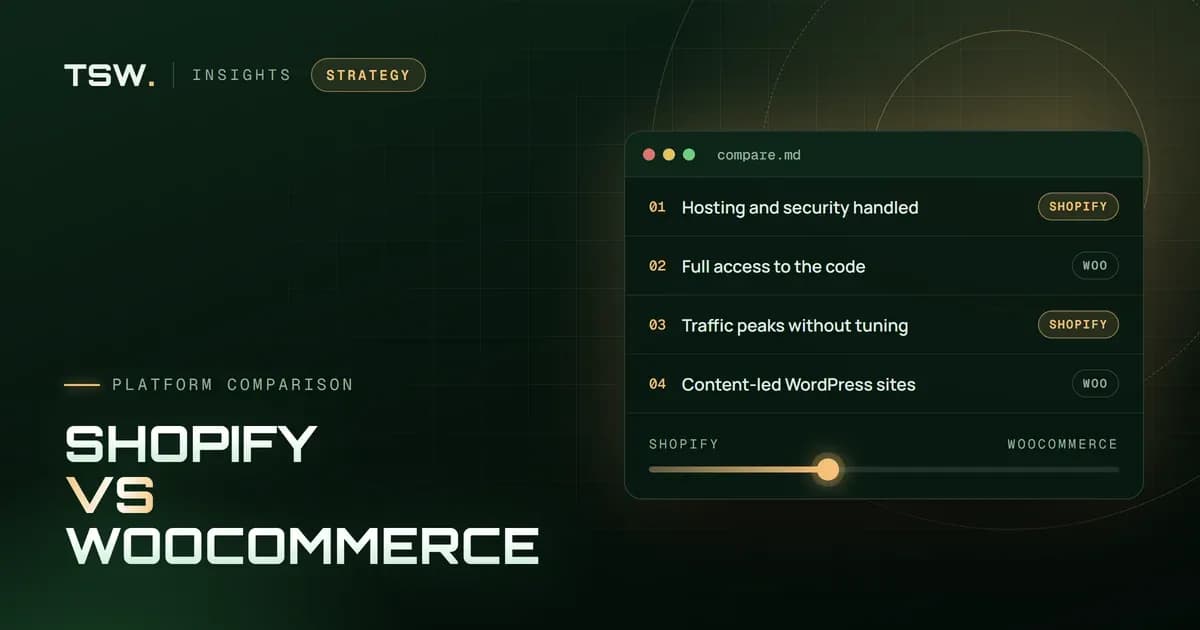
  • WooCommerce or Shopify — which should I choose?

    WooCommerce suits brands that want full control of their code and hosting, deep content on WordPress or unusual features. Shopify suits brands that want hosting, security and checkout handled for them. We build on both and recommend the one that fits your team and budget.

  • Can you customise the WooCommerce checkout?

    Yes. We add custom fields, change the layout, add upsells and payment options, and build one-page checkouts — using the block checkout or custom code, depending on your theme and plugins.

  • Can you speed up an existing WooCommerce store?

    Yes. We review hosting, caching, plugins, images and the database, then fix the biggest bottlenecks first and measure the result against Core Web Vitals.

  • Do you build custom WooCommerce plugins?

    Yes. When no plugin does what you need, we write a custom plugin that follows WordPress coding standards, so it stays safe through WordPress and WooCommerce updates.

  • Do you offer WooCommerce maintenance?

    Yes. Maintenance plans cover WordPress, WooCommerce and plugin updates, backups, security monitoring and fixes, so the store stays fast and safe.

Still weighing it up?Tell us the situation

Start a project

Let's build yours Let's build yours

Tell us where you are — a new build, a migration or a project that has stopped moving. You get a fixed scope and a plan in writing, not a sales call.

  • Fixed quote in 48 hoursScope, milestones and price in writing before anything starts.
  • No obligationThe plan is yours to keep, even if you build it somewhere else.
  • Straight to the teamYou talk to the people who design and build it, not an account manager.